
✨ Introducing Podbean’s new AI Creator, designed to make ad production hassle-free for advertisers like you.
To get started, go to the Campaign Management page and click “Create Ad with AI”.
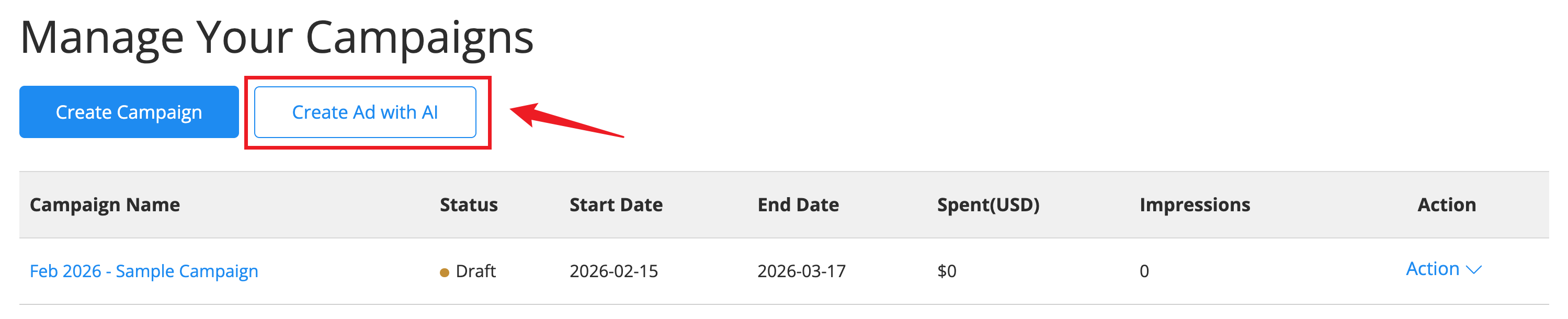
Step 1: Create or Add Ad Copy
You can either use your own ad copy or let Podbean help you generate one.
Option 1: Generate Ad Copy with AI
Select Ideas if you’d like Podbean to create an ad copy for you.
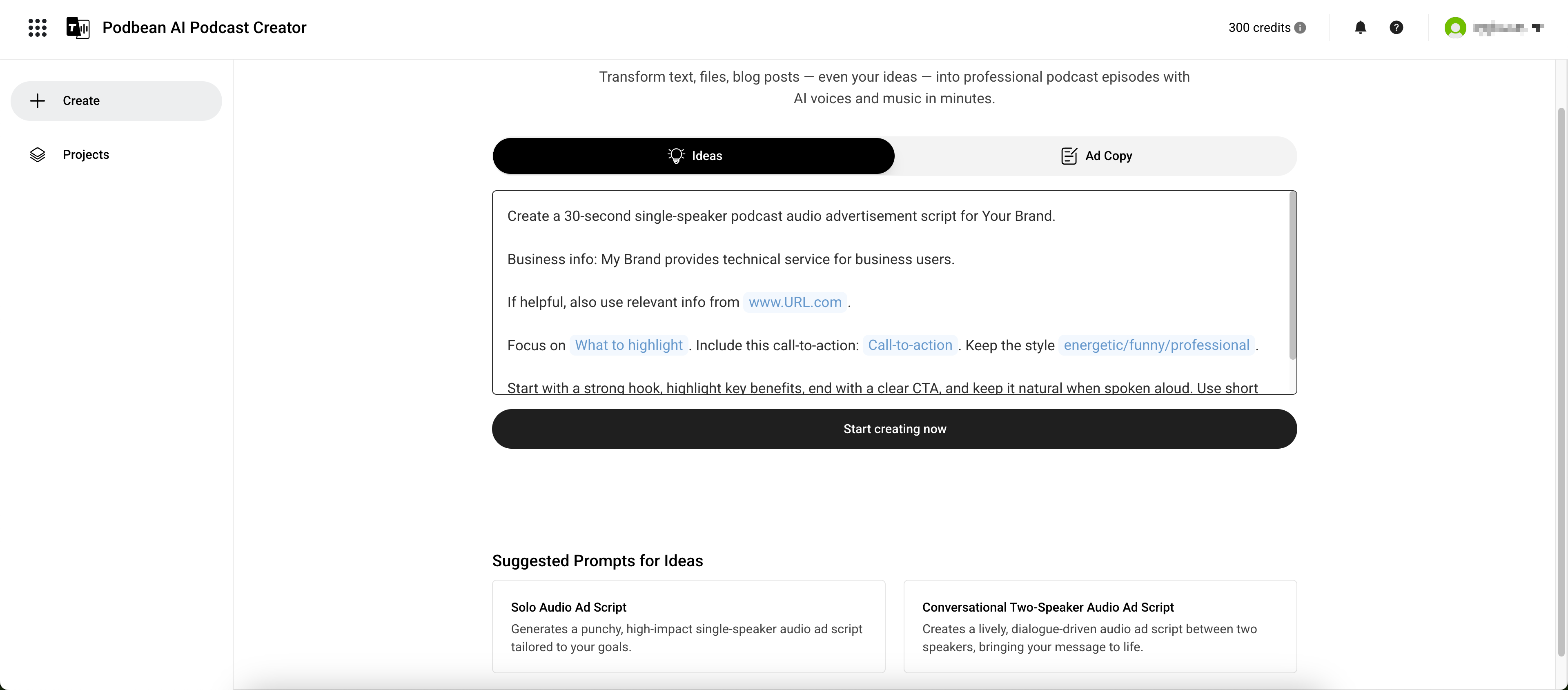
We recommend choosing one of the Suggested Prompts to get started:
- A single-speaker, punchy ad style
- A lively conversational style
Fill in your information in the prompt and adjust as needed.
Option 2: Use Your Own Ad Copy
Switch to Ad Copy if you already have one. Simply paste your text into the input box.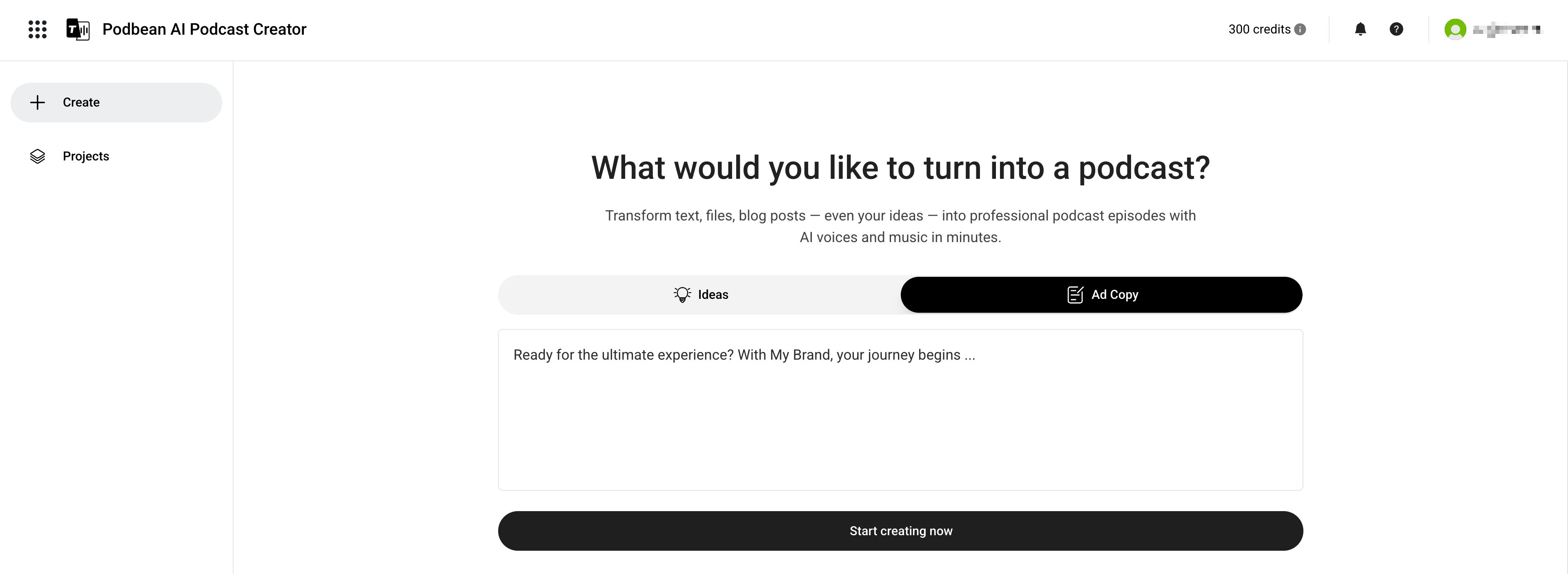
When ready, click Start creating now.
Your ad copy will be generated and displayed in the editor, where you can review and make edits.
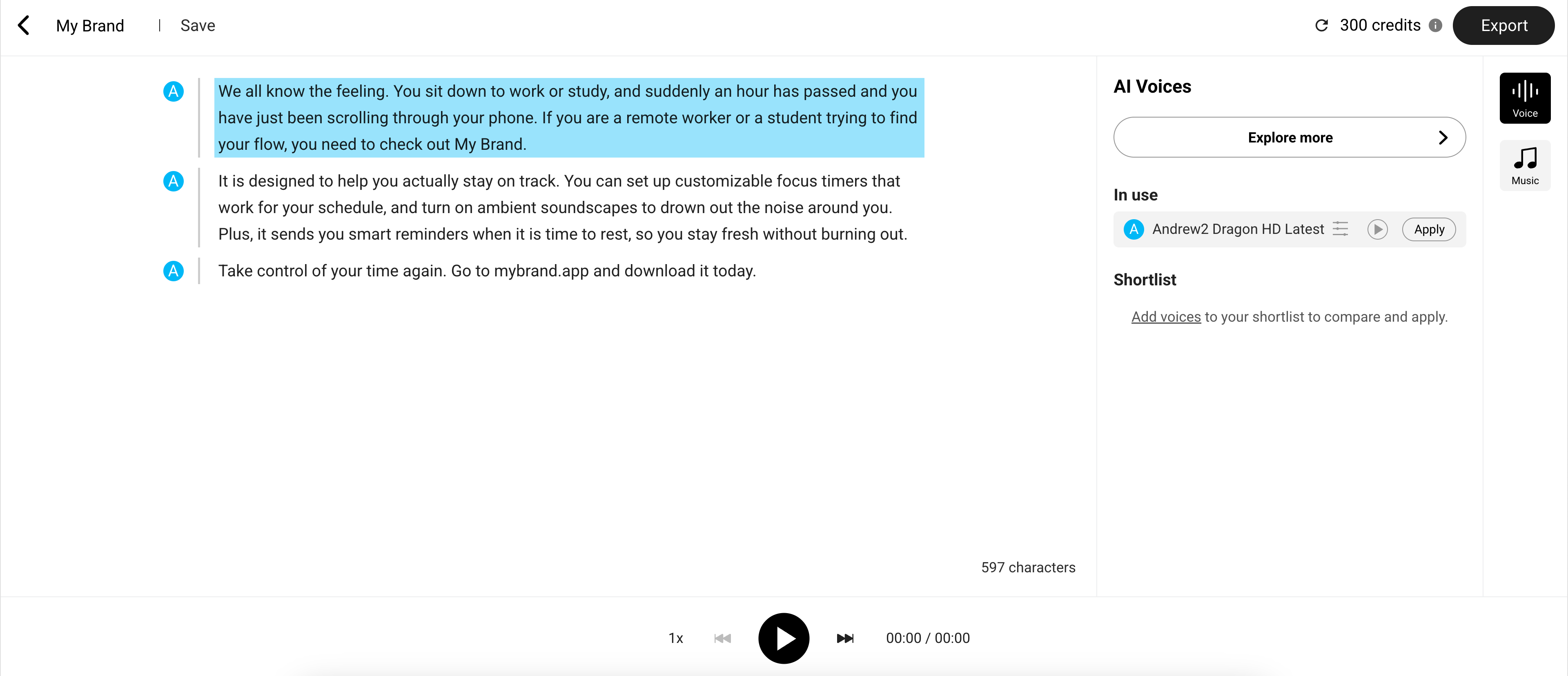
Step 2: Generate the Audio Ad
Once your script is ready, you can generate the audio using your preferred voices and background music.
Apply AI Voices
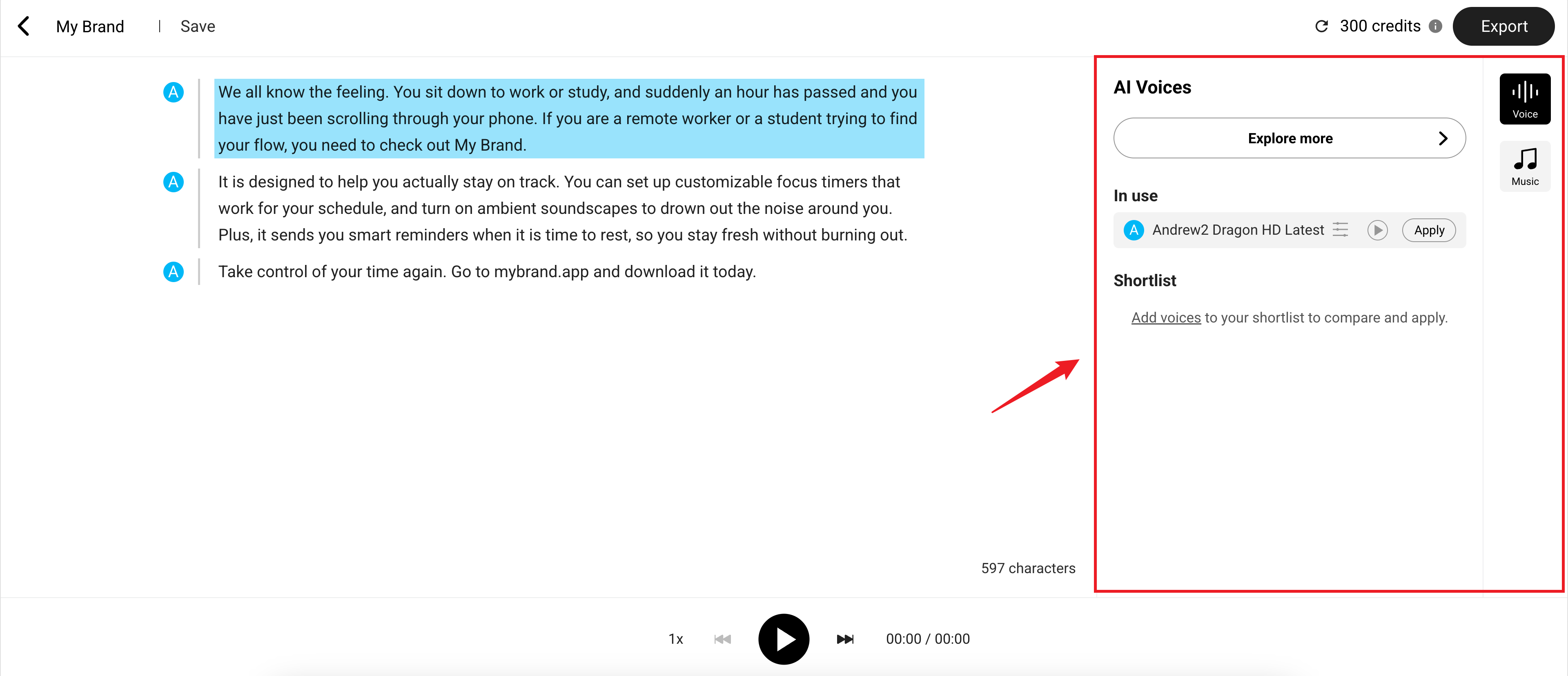
In the AI Voices section on the right, select a voice to apply. Click Explore more to browse more options in the Voice Gallery.
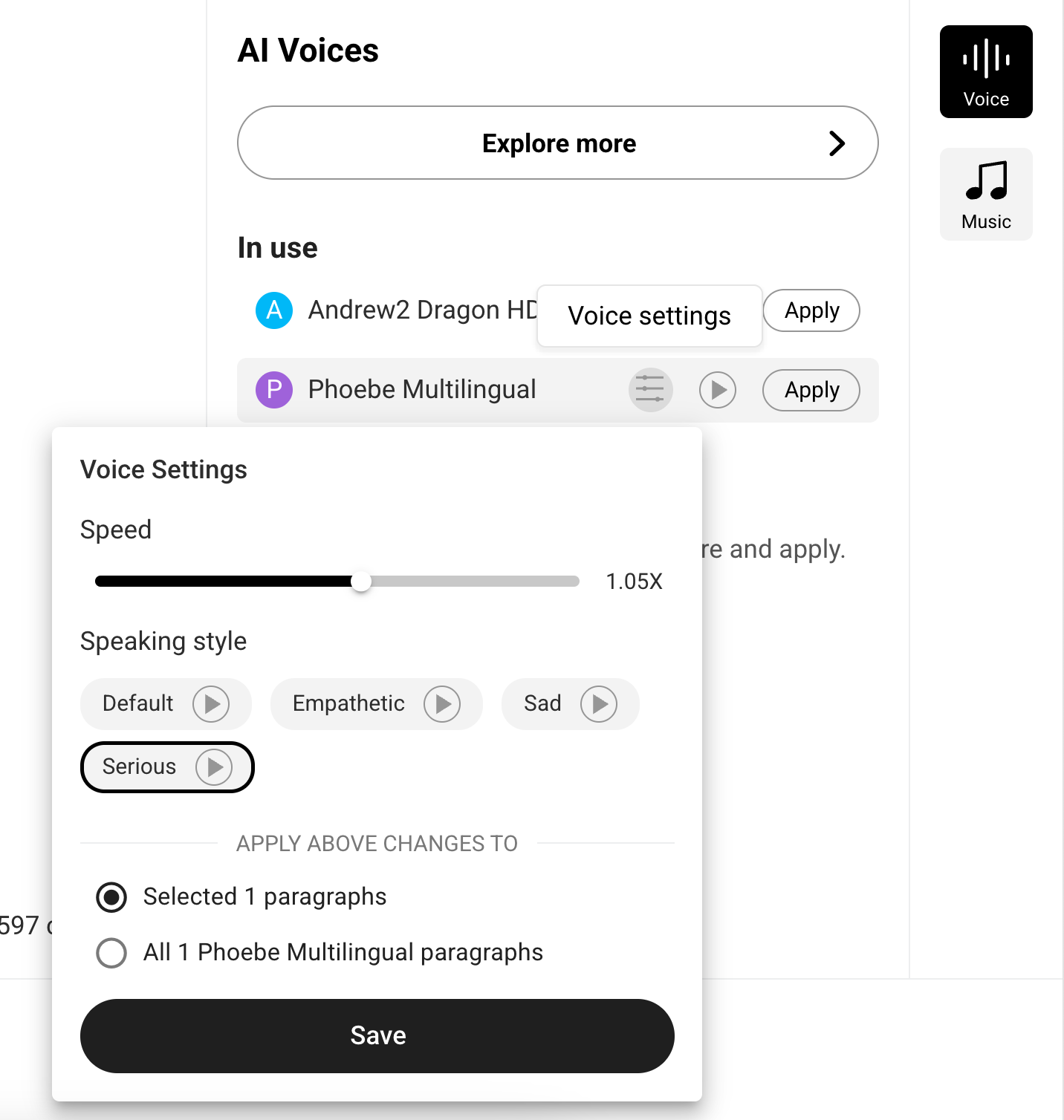
You can also adjust the Voice settings such as speed and speaking style.
Add Background Music
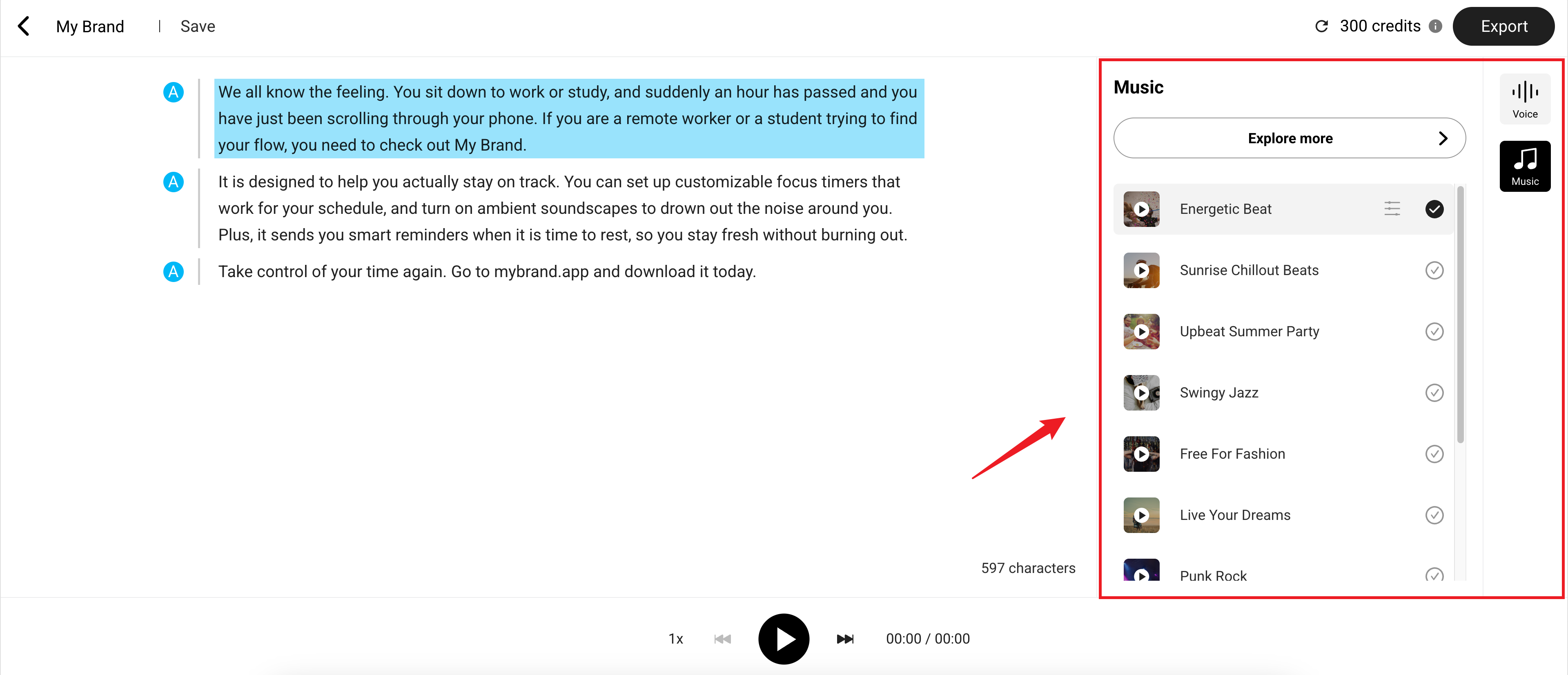
Switch to the Music section to choose a background track. Click Explore More to browse more tracks in the Music Gallery or upload your own.
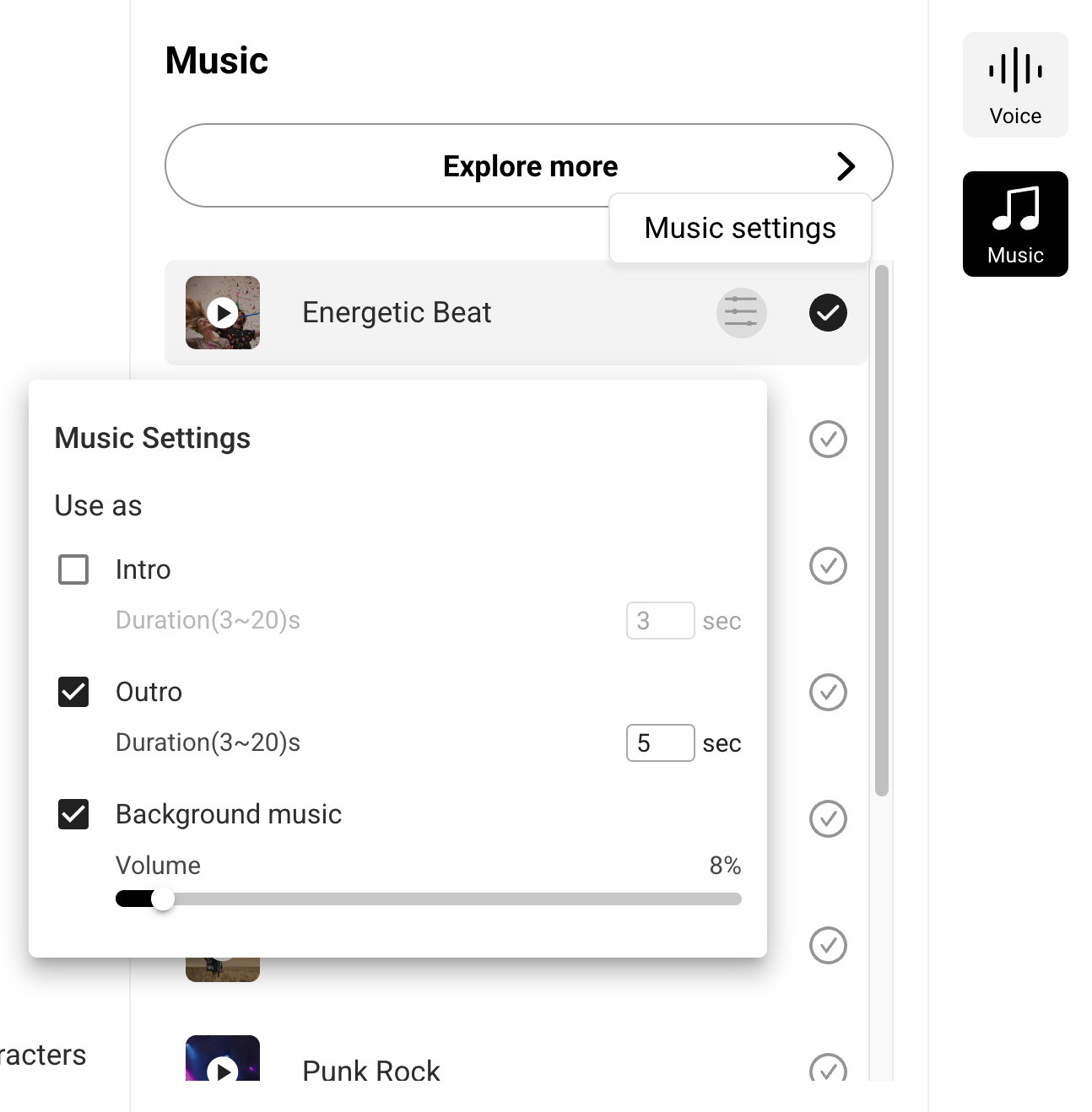
You can also adjust intro/outro duration and background volume in the Music settings.
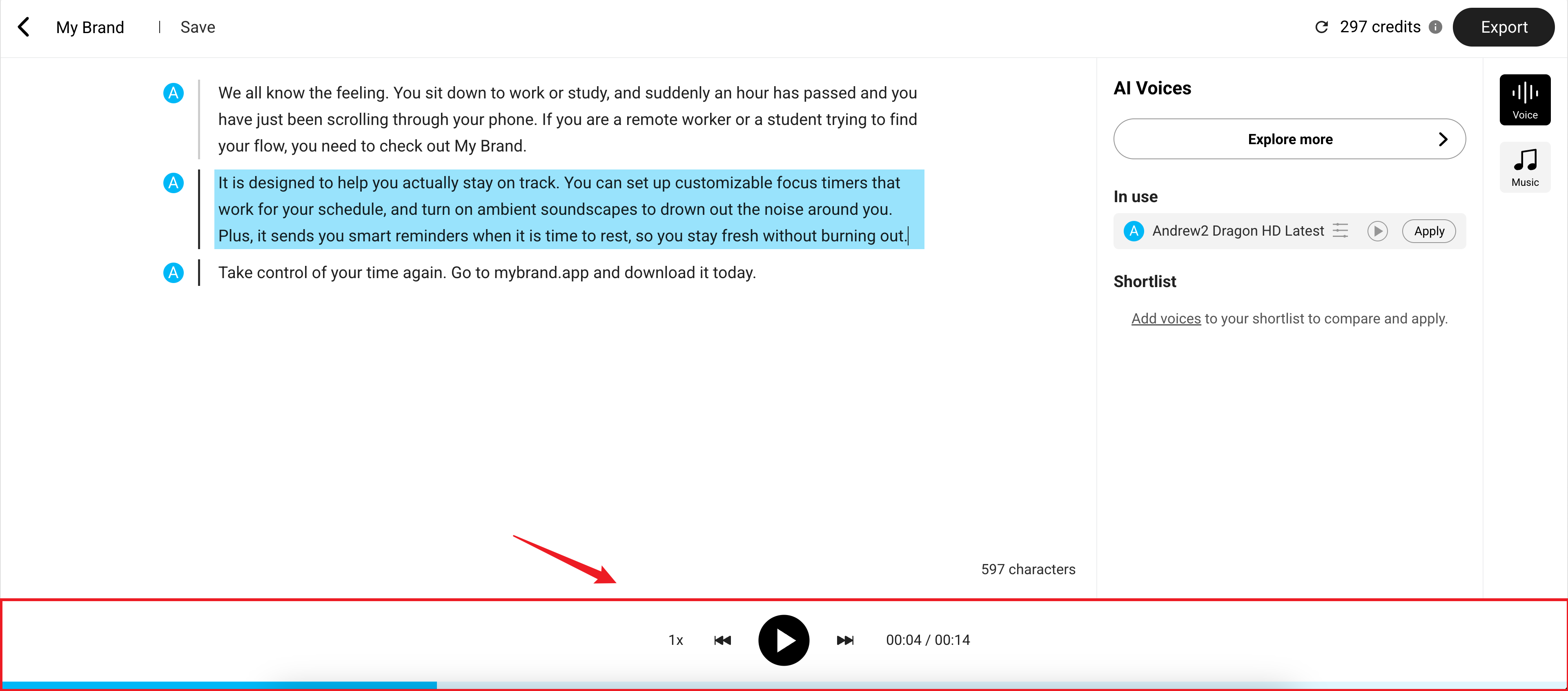
Preview the audio at any time to ensure it sounds right.
Step 3: Save the Ad to Campaign
When your ad is ready, click Export in the top-right corner. Select Ad Campaign as the destination and click Save.
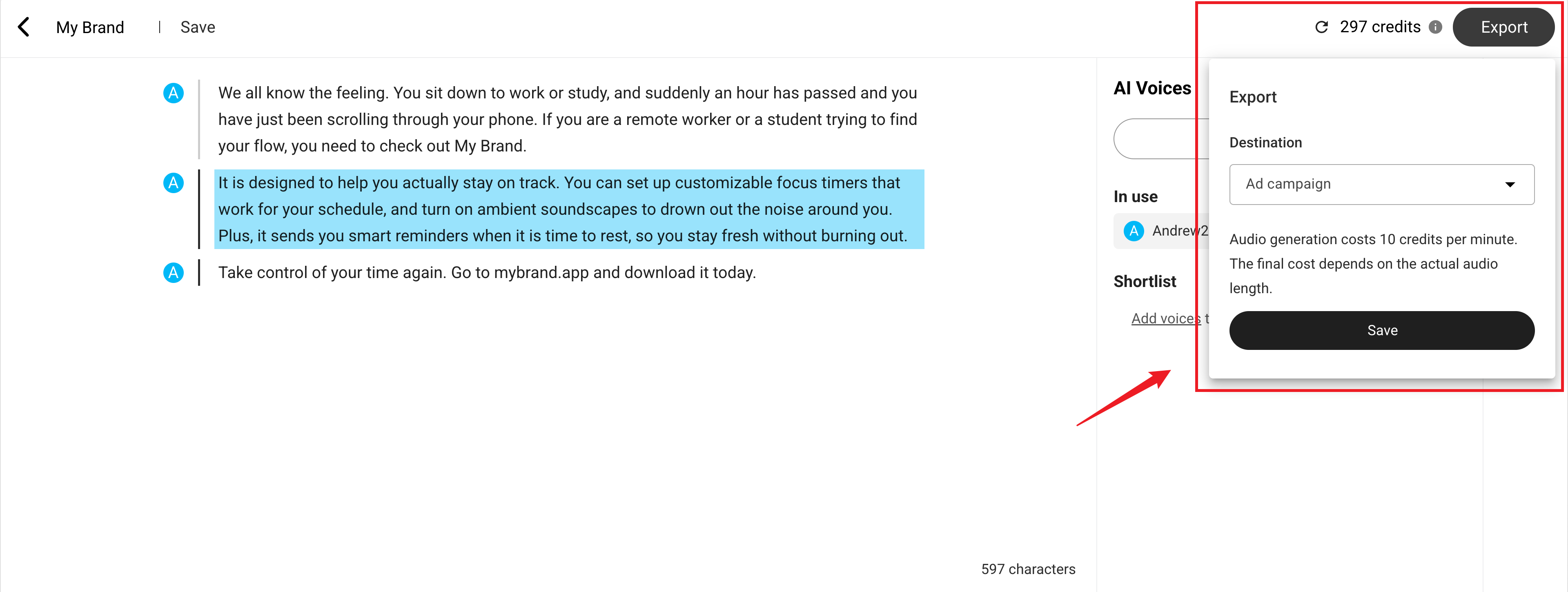
The ad will be available for selection during campaign creation.
Step 4: Select the Ad in Campaign
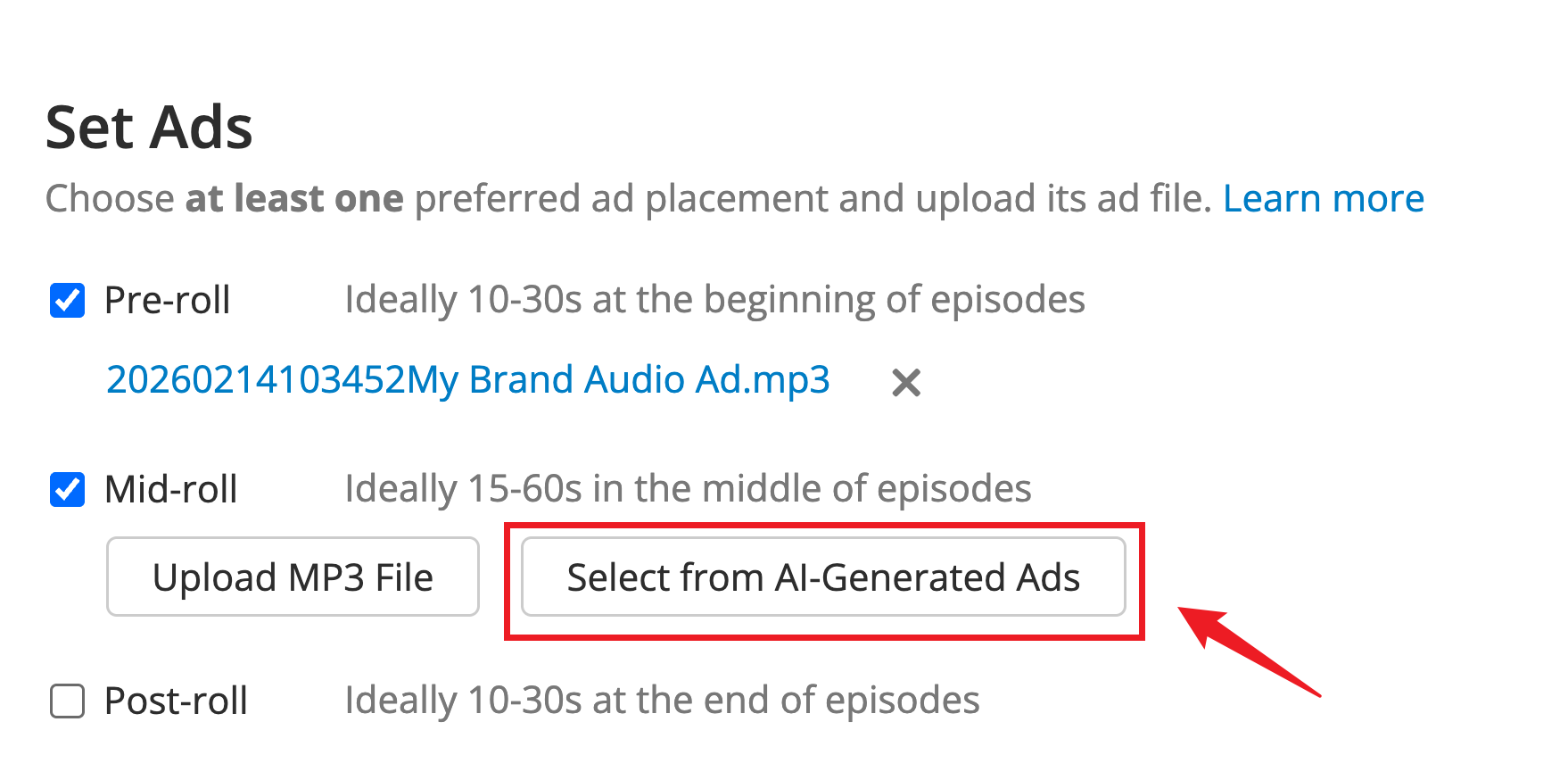
As you create a campaign, you’ll reach the Set Ads section.
Choose your preferred ad placement(s), then click “Select from AI-Generated Ads”. Select the ad file you’d like to use from the list — and you're all set.
For more guidance and tips on setting ads for your campaign, you may refer to our guide: Setting Ads.