
Once your podcast starts receiving ads, Podbean automatically tracks your ad performance — including revenue, impressions, and CPM. You can check your stats at any time from the Ads Marketplace dashboard.
Where to View Your Data
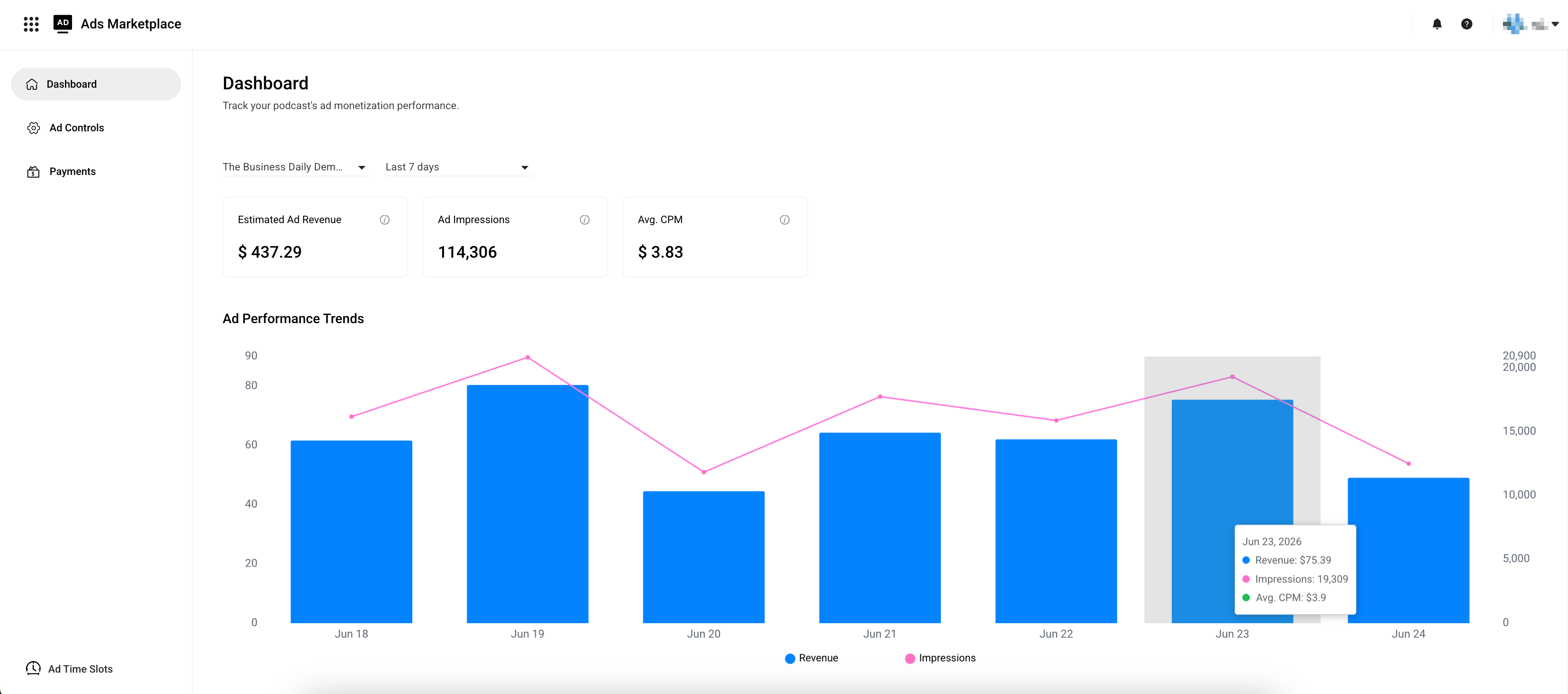
Go to Ads Marketplace > Dashboard. Select a podcast and time period to filter the data. All the information you see — stats, trends, and detailed data — will reflect your selection.
Key Metrics You Can Check
At the top of the dashboard, you'll find three key metrics:
- Estimated Ad Revenue — Your up-to-date estimated ad revenue after Podbean's 30% platform fee.
- Ad Impressions — Total number of times ads were played on your podcast.
- Avg. CPM — Average revenue you earn for every 1,000 ad impressions.
View Revenue and Impression Trends
You can see how your revenue and impressions have changed over time. Hover over any point to check exact figures for a specific day or month.
Review Your Data by Day or Month
You can view a daily or monthly breakdown of the ad performance data.