
This guide covers the requirements for joining the Podbean Ads Marketplace, how to enable it for your podcast, and what to expect after you're in.
Requirements
To join the Ads Marketplace, your podcast needs to meet the following criteria:
- Location — The Ads Marketplace is currently available to podcasters in the United States. We're working to expand to more regions as we grow.
- Hosting plan — Your podcast needs to be hosted on Podbean with a Podbean Unlimited Audio plan or higher. See our hosting plans for more details.
- Monthly downloads — For consistent ad performance, your podcast needs at least 1,000 downloads in the last 30 days (based on Podbean's download statistics) to join the Ads Marketplace.
How to Join
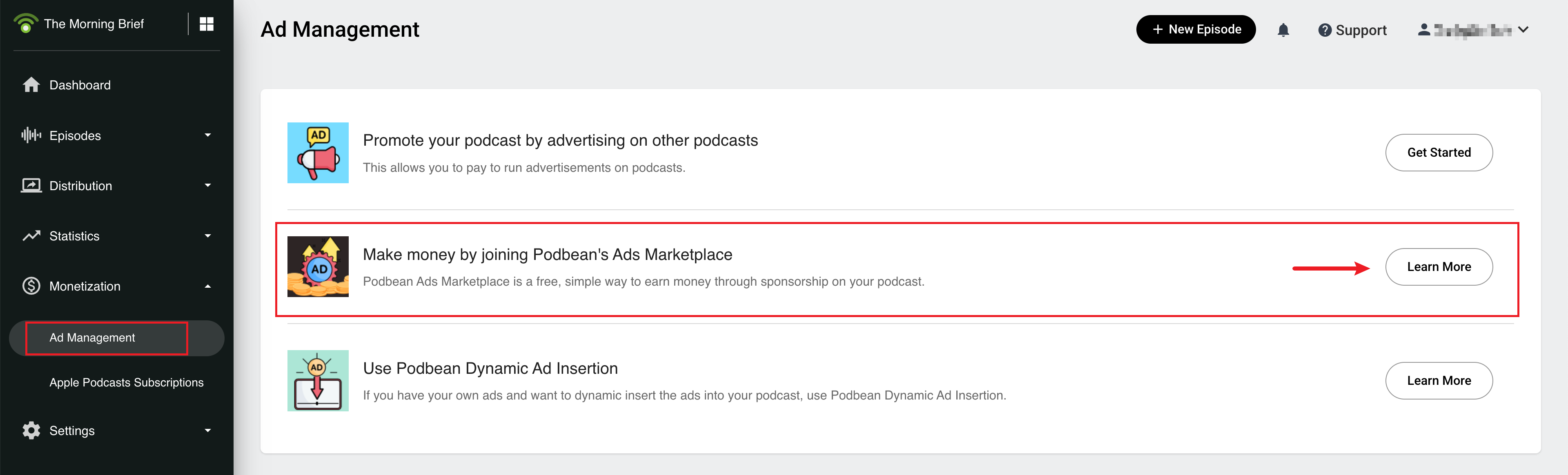
From your Podbean dashboard, go to Monetization > Ad Management and enter the Make money by Joining Podbean Ads Marketplace section.
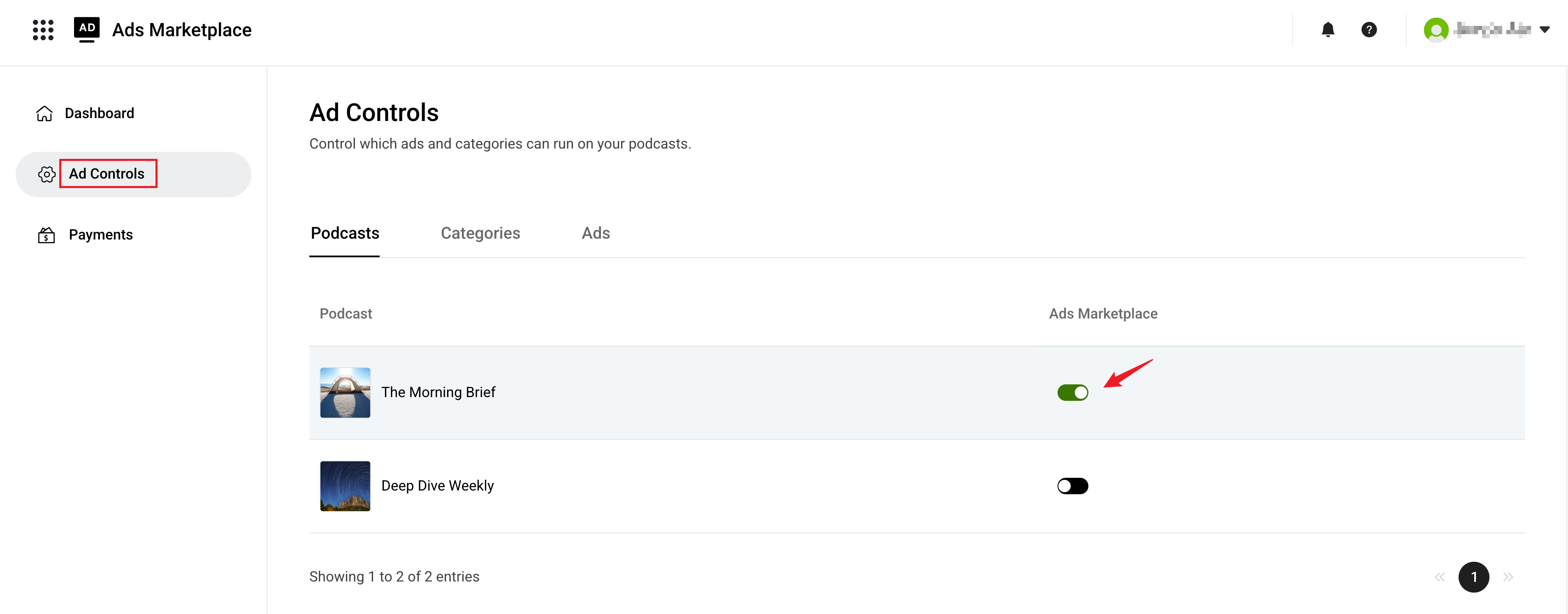
Then go to Ad Controls > Podcasts and toggle on the podcast you'd like to monetize. Once enabled, your podcast is now part of the Ads Marketplace and ready to receive programmatic ads.
What Happens After You Join
Once you've enabled the Ads Marketplace, Podbean will automatically start matching your podcast with advertising opportunities and dynamically inserting ads into your episodes.
To get the most out of your experience, you may also want to:
- Customize Your Ad Preferences — Choose which sensitive ad categories to allow or block.
- Setting Ad Time Slots — Define where ads appear in your episodes using Smart Slot or manual settings.
Once your podcast starts receiving ads:
- Track Your Ad Performance — View the key metrics on your dashboard, including ad impressions, revenue, and CPM.
- Getting Paid for Ads — Once ad revenue is verified and settled, it is added to your payable balance. Add your payout method in the Payments page to start receiving payouts.